

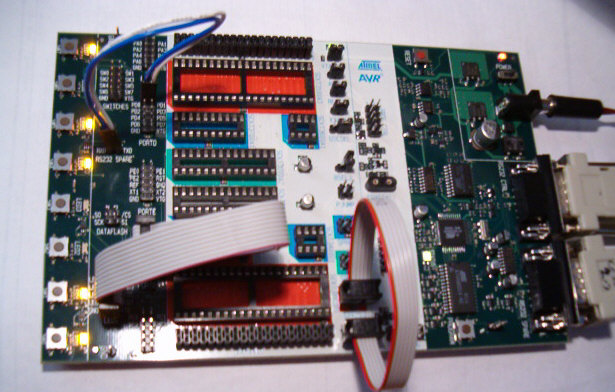
STK 500 Development board
introduction
Lots of circuits, with AVR microcontrollers, around the internet are stand-alone circuits. On this project we will control an AVR microcontroller (MCU) via Visual Basic 6.
The applications of this circuit is countless. You can make, anything you want, that needs control from a Personal Computer (PC) or from any circuit collects data from sensors. Finally, it sends these data to Visual Basic based software by using the RS232 port.
You have to know, this project is in generic form, to give you the idea of controlling a MCU through a serial port. You can modify the source codes to make your own circuit but only for personal use. Any commercial use of this project is not allowed.
The hardware
You can use for your experiments, an AVR development unit such as MCU100, STK200, STK500 or an AVR development board that contains 8 LEDs, 5 switches or more and some RS232 chip like MAX232, MAX202 etc.
Alternative, you can build your own board with specifications as described previously.

Schematic of AVR RS232 interface (click to enlarge)
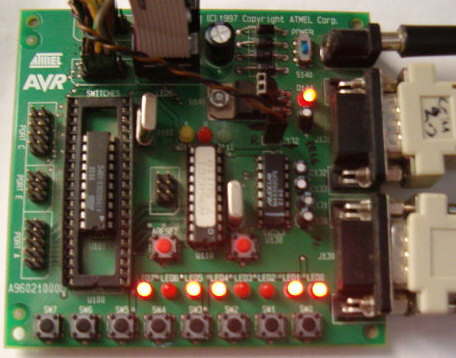
MCU 100 Delevopment board
The software
The software is named "AVR RS232 interface" and it's written in Visual Basic 6. It's constituted by the main window and "about" window. On the generic mask you can choose the COM port you have connected the AVR board ( For development boards I mean the spare RS232 connector, not the connector that you programming the MCUs ).
On the "Switches on interface" window, are 5 green cycles. If you press any of these 5 switches on the AVR board, this cycle will be in red color. The value of the received character can be viewed in binary format, on the below text box .
On the "LEDs on interface" window, you will see 8 buttons with green color. When you press a button you will see that the current led on AVR board will be turned-off. If you press it again, the LED will be turned-on. The value of the sent character can be viewed in Decimal and ASCII format in two below text boxes.
You can exit from this software by pressing "Exit" button.
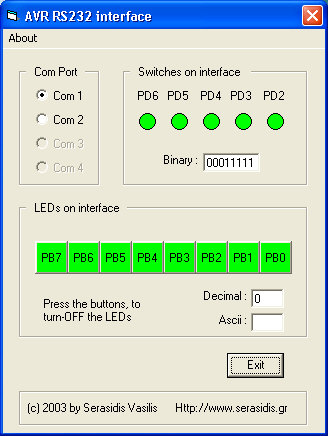
The software, to control some AVR MCU, writed in Visual Basic 6.
The executable and the source code of AVR RS232 interface, in Visual Basic 6, can be downloaded from here: AVR RS232 interface.zip
The schematic, HEX firmware and source code (ready for AvrStudio) of AT90S2313 can be downloaded from here: Firmware of RS232 interface.zip